Spatial Drawing and Design
#00
DL-847-YR1
3D Animation
S01-02
02/11/26
Brief
Overview//

Over the course of the next six weeks, we will explore the topics of Spatial Drawing and Spatial Design.

Drawing
The core skills needed to draw and think in a 3D dimensional way. Looking at a variety of perspective drawing approaches that can be used to do this.
Design
Putting on our designer hats, we will first create a Core Concept for our space. This will establish Key Ideas which we will then try to communicate through our spatial designs. Using Mood and Reference boards to inform our design process.

This collective body of design work will form the basis of your Production Bible, which you will continue to build on in the next term.

Brief02

Spatial Drawing

Drawing Forms and Spaces

Brief03
Spatial Drawing//
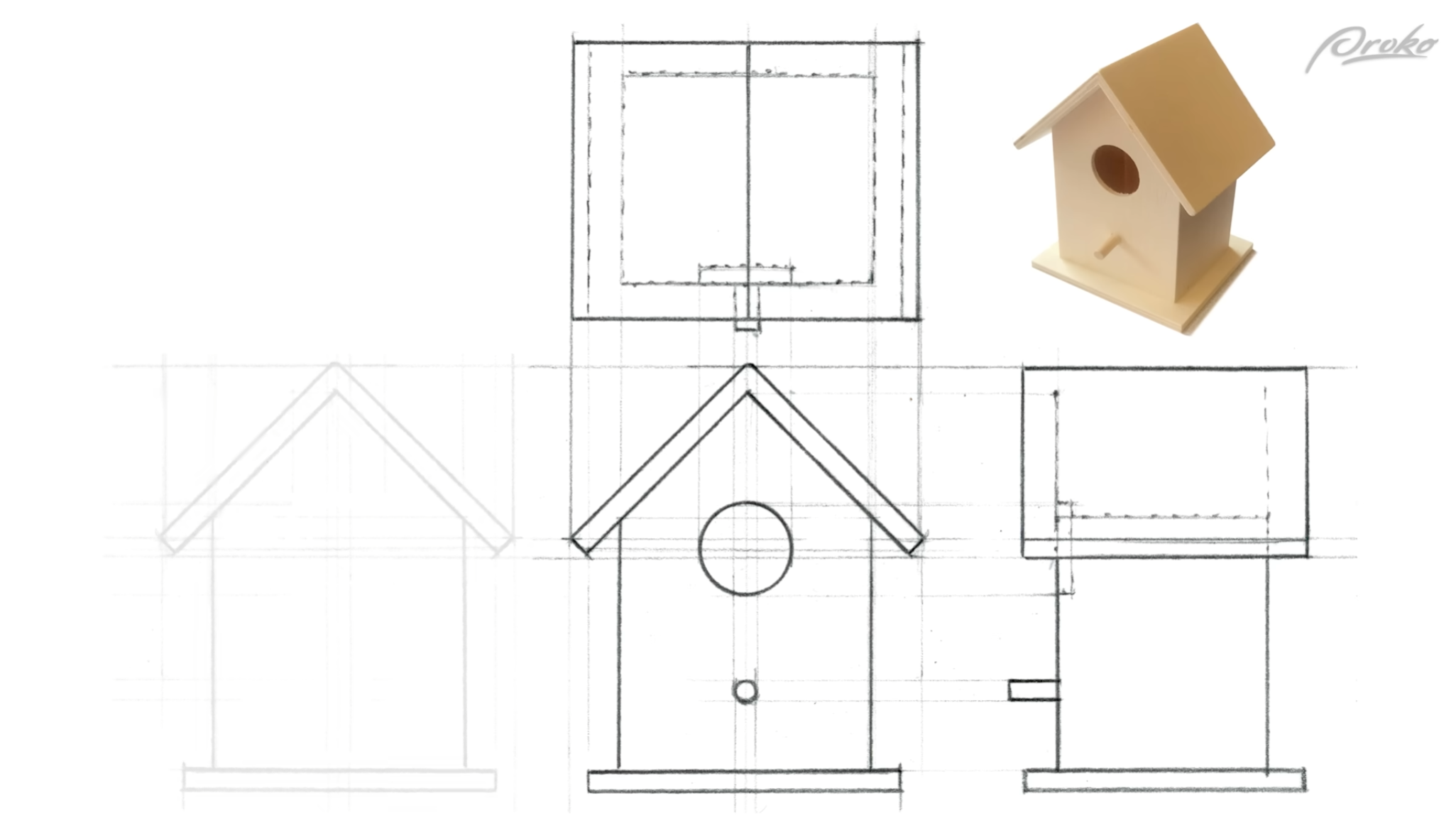
Pencil front, side and top orthographic drawings of a wooden birdhouse, with a photo of the birdhouse in the top right
Zero-point Perspectives to aid in accurate design of 3D dimensional forms and spaces.
BriefZero Point Perspective Birdhouse 04
Spatial Drawing//
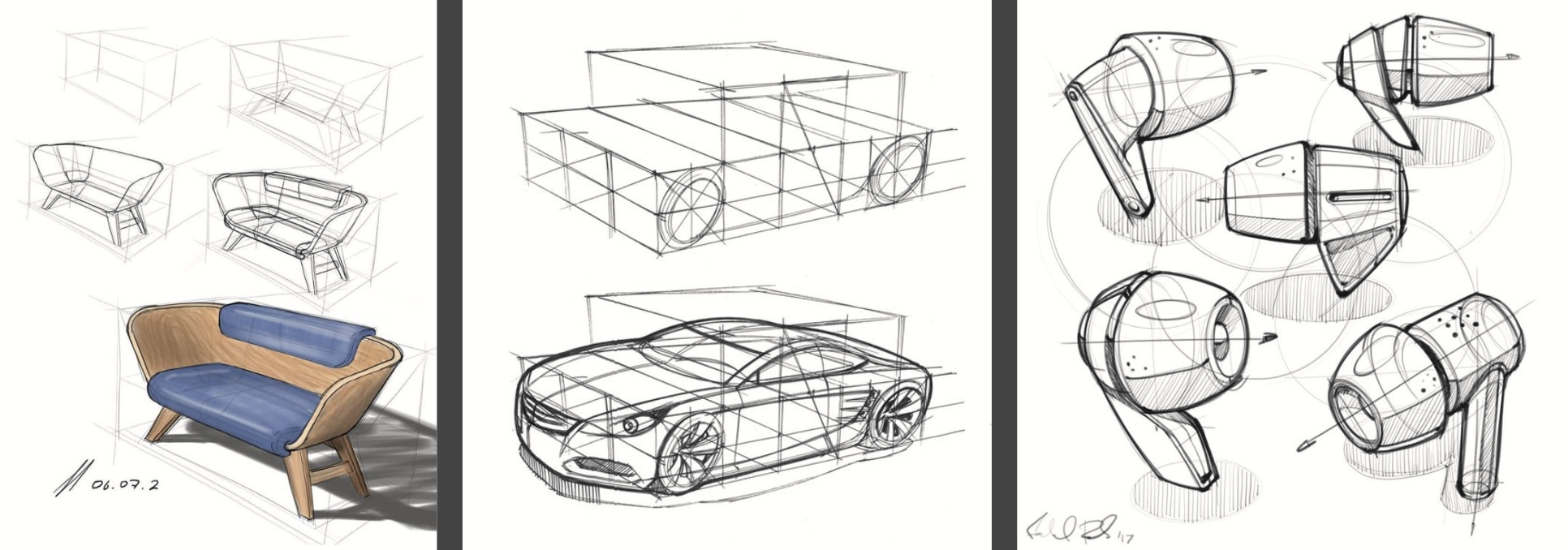
Three sketch sheets: a sofa built up from a box to a coloured drawing, a car built up from a box, and rounded earbud-like product forms
Zero-point Perspectives to aid in accurate design of 3D dimensional forms and spaces.
BriefZero Point Perspective Design 05
Spatial Drawing//
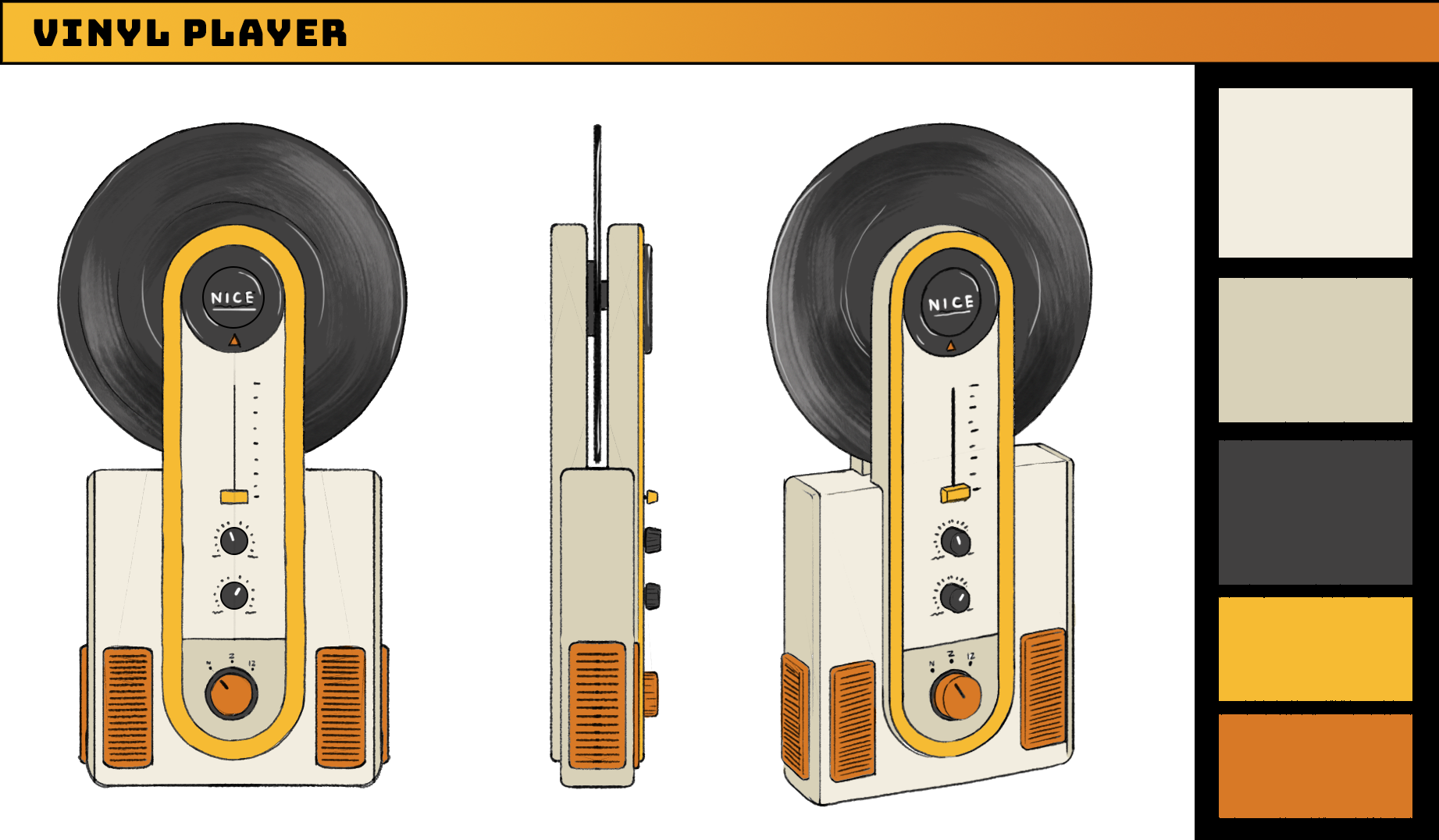
Front, side and three-quarter views of a retro vinyl player in cream, yellow and orange, with a five-colour palette strip
Apply this skill to designing a key objects for your scene.
BriefVinyl Player 06
Spatial Drawing//
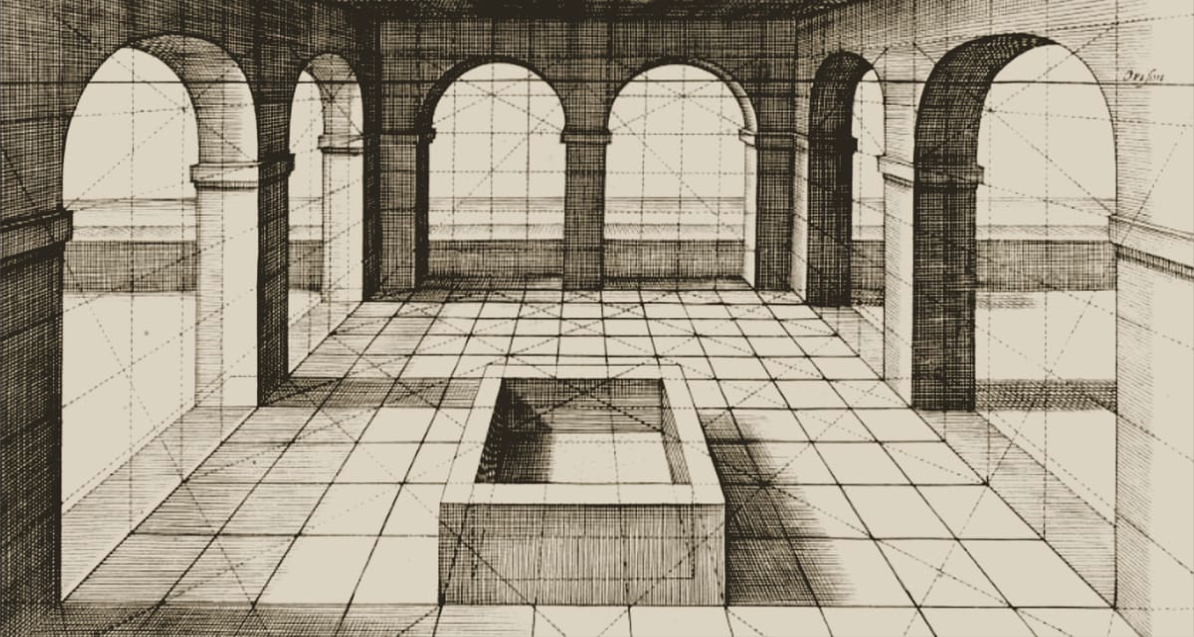
Engraved one-point perspective of an arched hall with a tiled floor and a rectangular pool, with construction lines visible
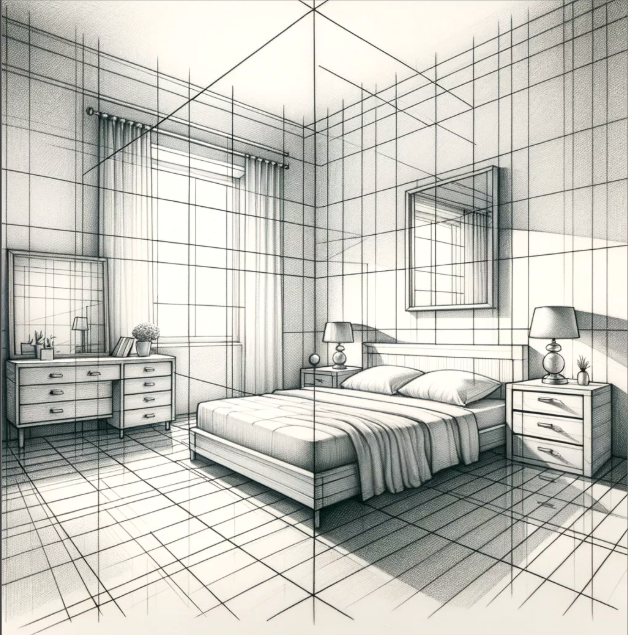
Pencil sketch of a bedroom in perspective, with construction lines running across the walls and floor
1, 2 and 3 point perspectives to visualise spaces as viewers.
BriefPerspective Drawing Example 1 07
Spatial Drawing//
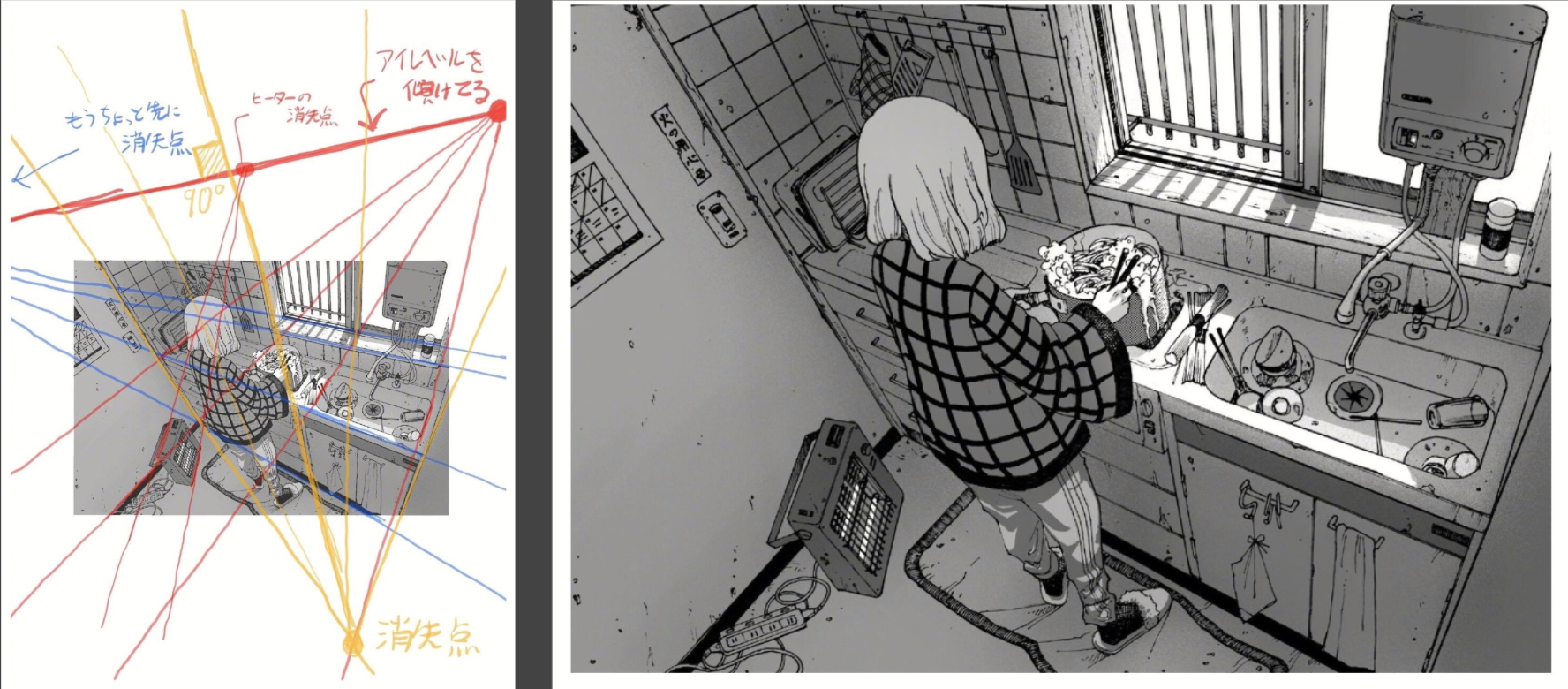
Manga kitchen scene beside a copy with hand-drawn red, blue and yellow vanishing point and eye level lines
1, 2 and 3 point perspectives to visualise spaces as viewers.
BriefPerspective Drawing Example 3 08
Spatial Drawing//
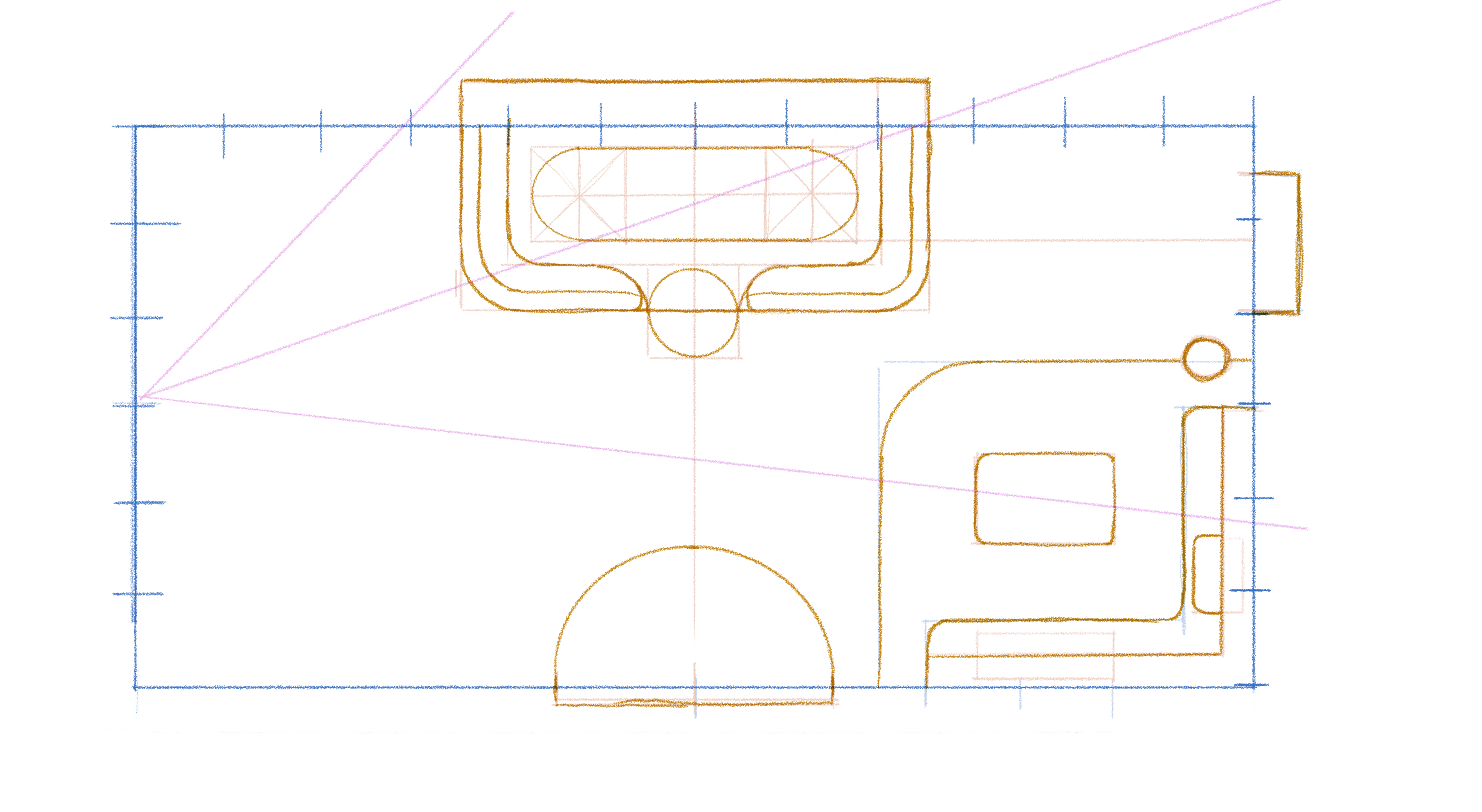
Pencil and chalk floor plan of a rounded living space, with a ruler scale and sightlines from a camera position
Creating Floorplans and Wall plans to explore and refine our spatial designs.
BriefFloor Plan Example 09
Spatial Drawing//
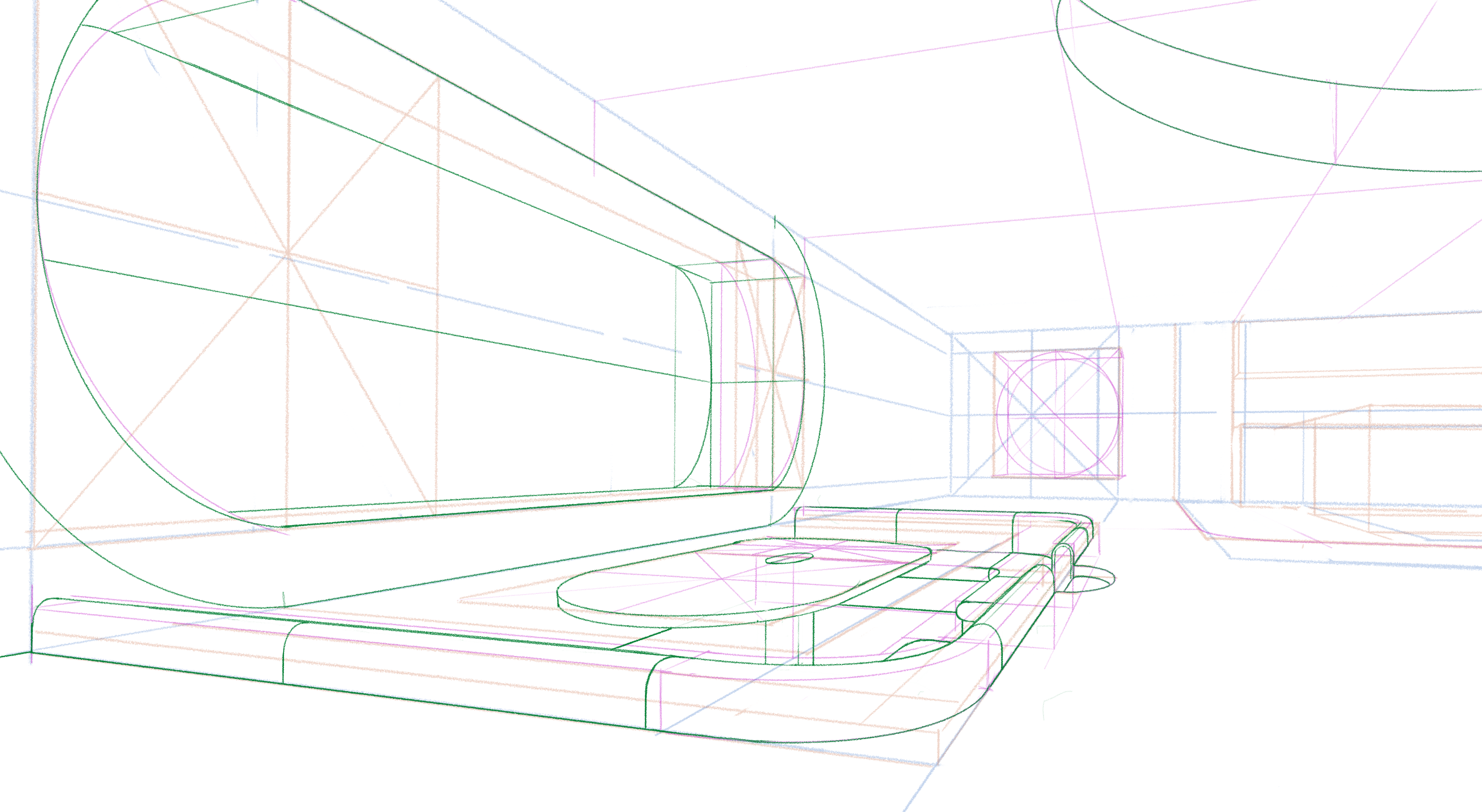
Two Point linework example
Draft a Two-Point Perspective of your space based on this.
BriefTwo Point Linework Example 10
Spatial Drawing//
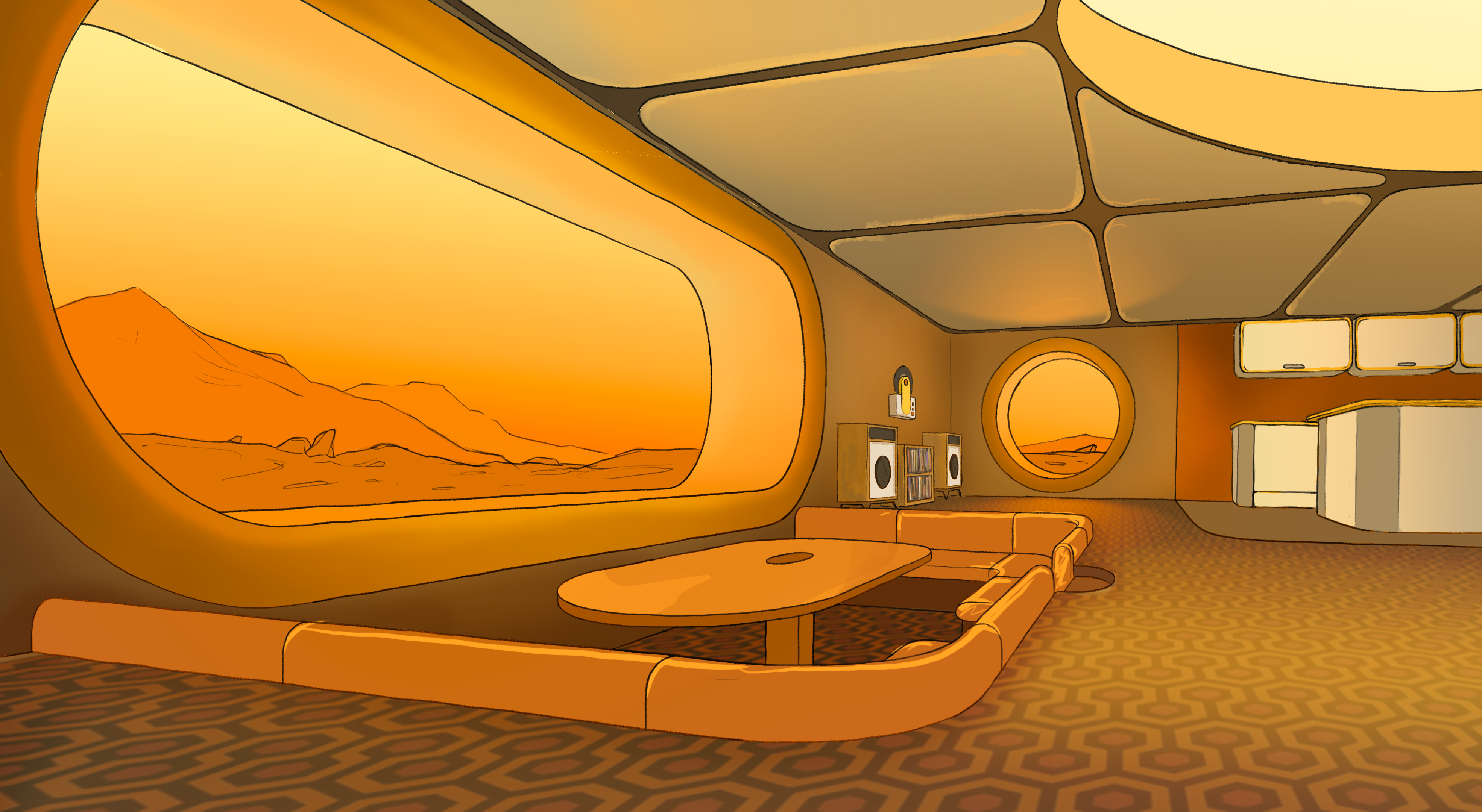
Coloured two-point perspective drawing of an amber retro living space with a large curved window onto a Martian landscape
Draft a Two-Point Perspective of your space
BriefTwo Point Spatial Drawing Render 11
Spatial Drawing//
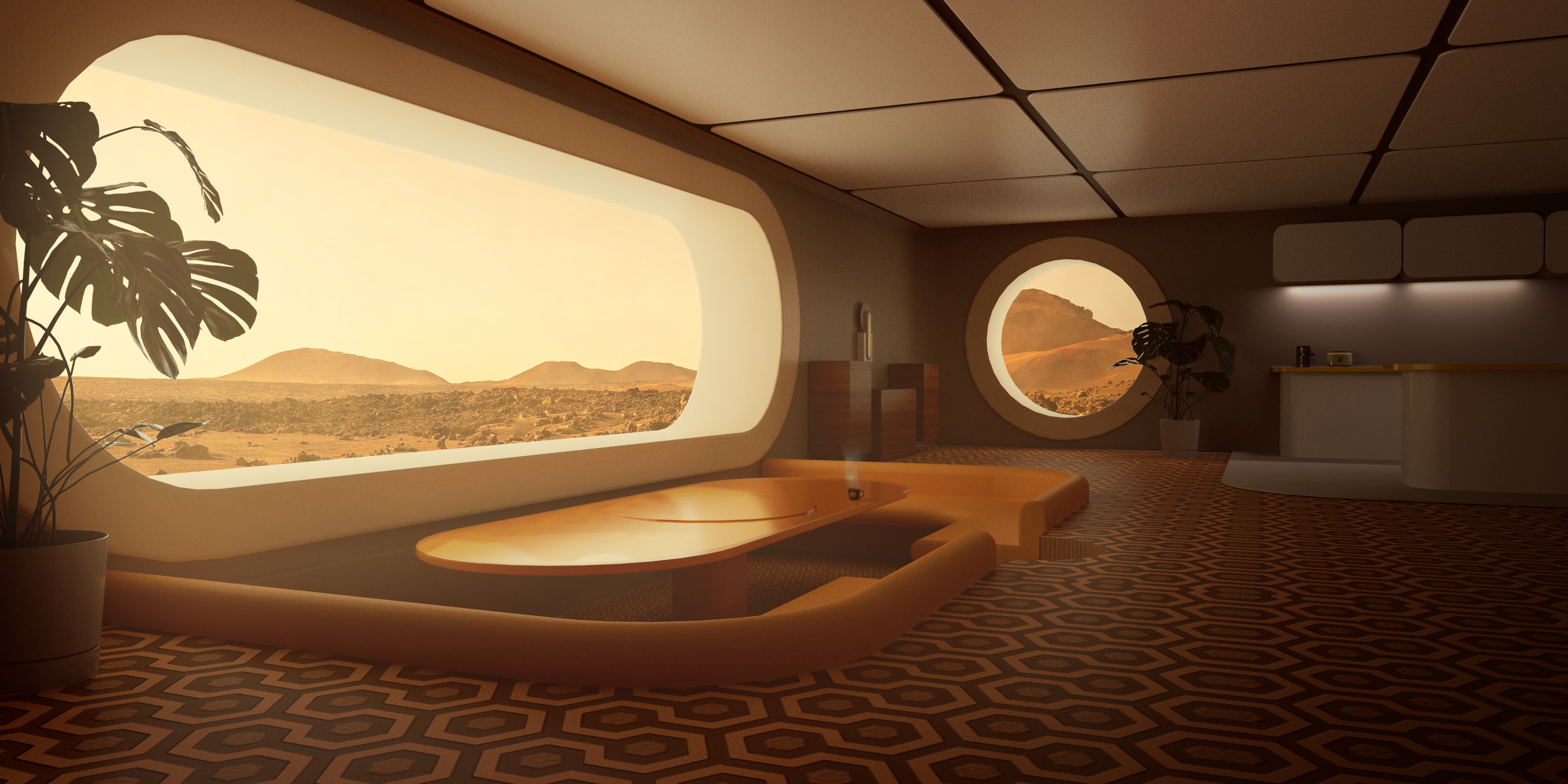
Rendered 3D version of the same amber living space, with a plant, a sunken seating area and a patterned carpet
In the next term, these drawings will inform the spaces you model.
Brief3d Scene Build Out 12

Spatial Design

Aspects of Space to consider when designing

Brief13
Spatial Design//
Film still of Mr Incredible hunched at the wheel of a small blue car, seen through the windscreen
Considering aspects of Spatial Design; Space, Scale, Form, Lighting etc…
BriefSpatial Design Example 1 14
Spatial Design//
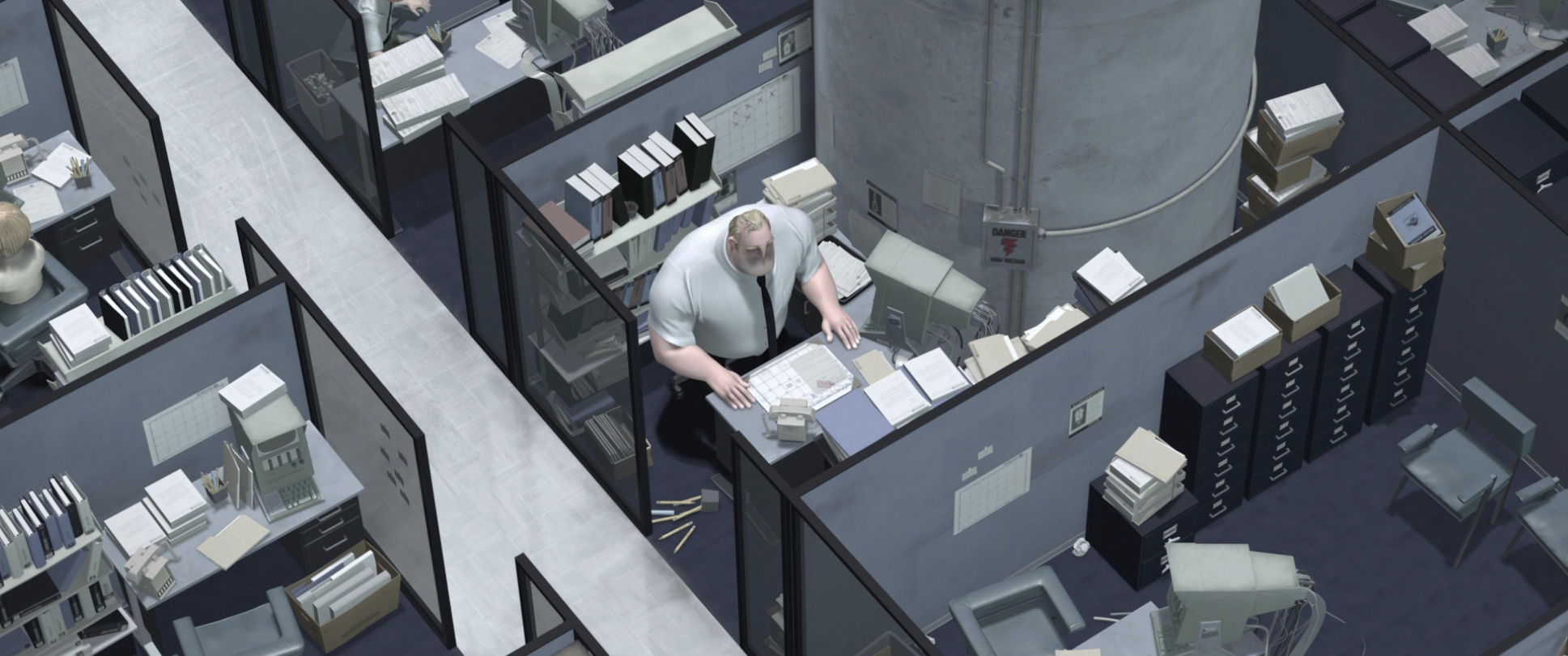
High angle film still of Mr Incredible at a desk in a cramped office cubicle among stacks of paper
Considering aspects of Spatial Design; Space, Scale, Form, Lighting etc…
BriefSpatial Design Example 2 15
Spatial Design//
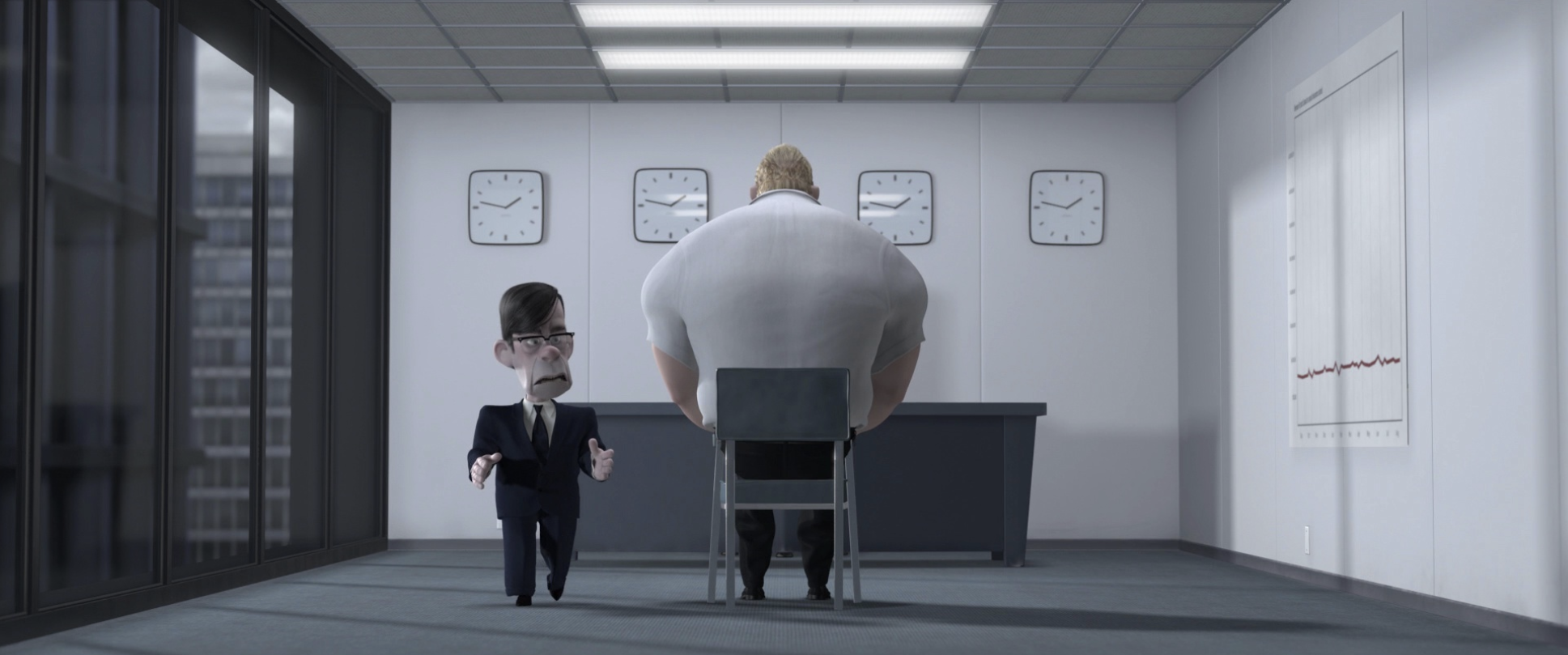
Film still of a small man in a suit walking in a bare office while Mr Incredible sits on a chair with his back to us
Considering aspects of Spatial Design; Space, Scale, Form, Lighting etc…
BriefSpatial Design Example 3 16
Spatial Design//

Film still of Mr Incredible seen from behind, facing a wall covered in framed hero memorabilia
Considering aspects of Spatial Design; Space, Scale, Form, Lighting etc…
BriefSpatial Design Example 4 17
Spatial Design//Spatial Design

Creating a written Core Concept that outlines a:

  1. Story
  2. Character
  3. Scene

Highlighting Key Ideas which you will aim to communicate to the viewer through your designs.
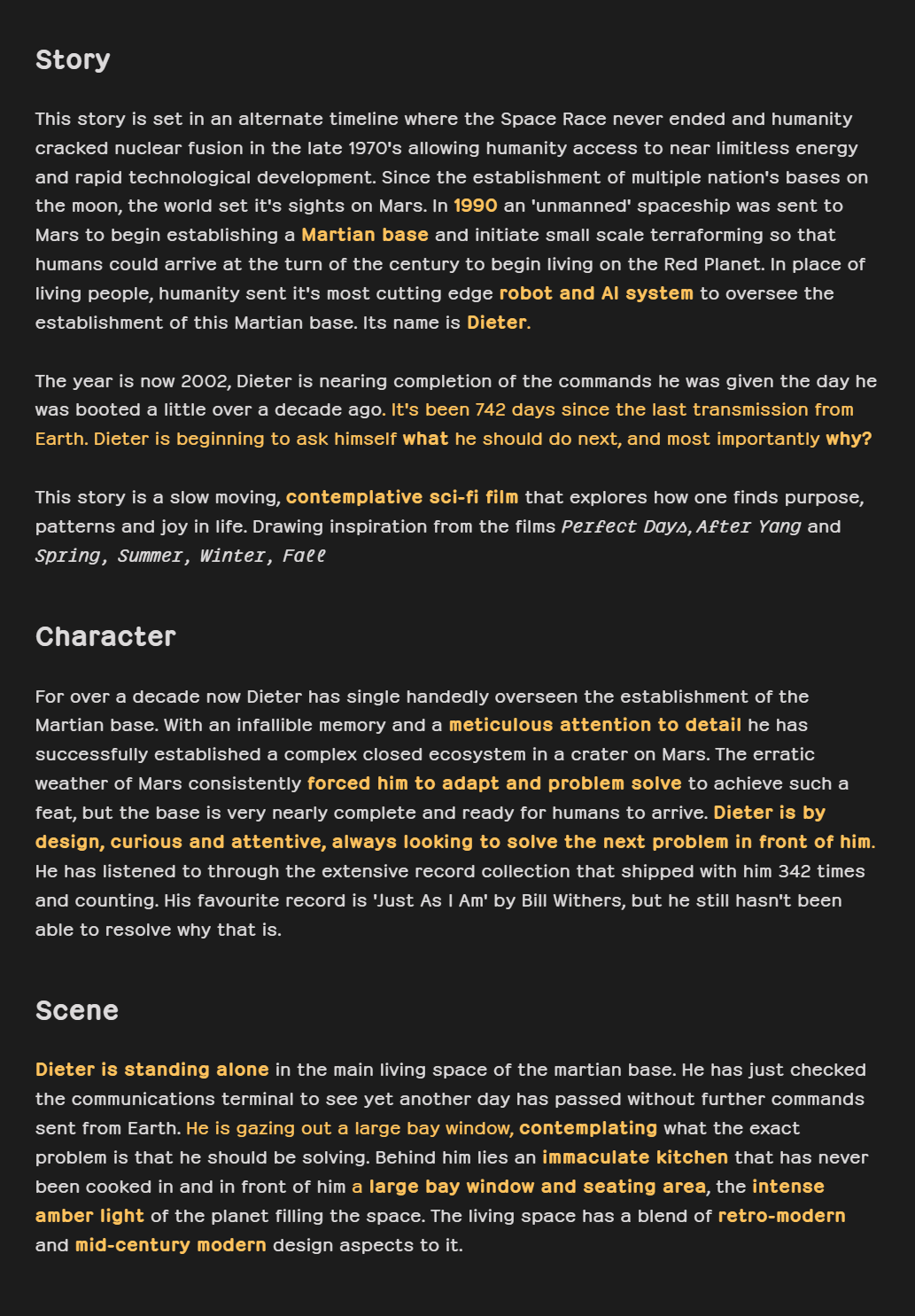
Written Core Concept example with Story, Character and Scene sections, key ideas highlighted in orange
Brief18
Spatial Design//
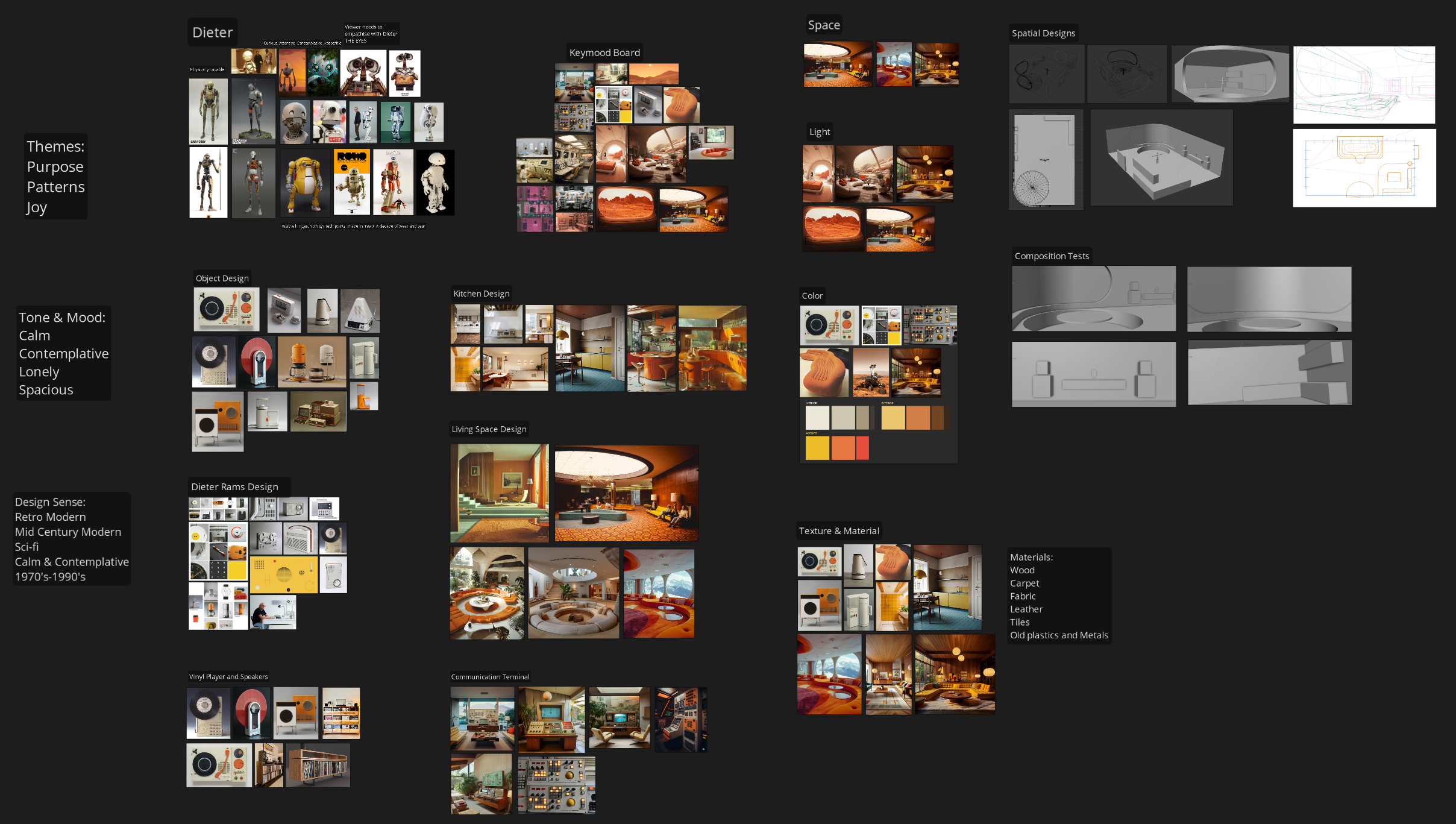
Large dark mood board of image groups for character, objects, kitchen, living space, colour, texture and spatial designs
Creating Mood and Reference Boards to inspire and inform your designs.
BriefMood And Reference Board Example 19

Key Details

Learning Goals, Schedule & Submissions

Brief20
Key Details//Drawing Goals
01Ability to use Zero-Point Perspective to aid in accurate design of 3D dimensional forms and spaces. (Front, Side, Top views & Wall / Floor plans)
02Excercise using 1, 2 and 3 Point Perspectives to visualise and design spaces
03Develop your skills in being able to think and draw in 3D
Brief21
Key Details//Design Goals
01Develop a Core concept that lays out a scene, location and character.
02Apply Shape Language to designing 3D Forms and Spaces
03Design a space which visually communicates the Key Ideas of your Core Concept.
04Gather references to support the visual development of this design process.
Brief22
Key Details//Submission & Deliverables

For the final submission you will submit the following to the Spatial Design & Drawing Submission folder in Teams:

  1. 01A Final Two Point Perspective Drawing of your scene, coloured and lit..png
  2. 02A Key Object Model Sheet, coloured and seen from Front, Side & 3/4..png
  3. 03Finalised Floor and Wall Plans for your space.png
  4. 04A Reference and Mood board, that visually supports your Core Concept..pur, .pdf, .png
  5. 05A written outline of your Core Concept and the Key Ideas within it..pdf
  6. 06All the weekly drawing and in class exercise's..pngs, .doc
  7. 07A written response to the end of module questionnaire..pdf
  8. 08Any other process work like sketches or notes etc. can be placed in a 'Design Process Work' folder.png, .jpeg
Key Dates
Commenced02/11/26
Submission11/12/26

You should place your work into a folder named “Yourname_SpatialDesign&Drawing” and then zip the file for upload to Teams.

Brief23